Web Design Best Practices for Employee Onboarding Portals with AI Chatbots
Modern employee onboarding is no longer a one-day HR task. It is an extended digital experience that shapes engagement, productivity, and retention from day one. As organisations adopt remote and hybrid work models, the onboarding portal has become the central touchpoint for new hires. When designed correctly and enhanced with AI chatbots, it can transform onboarding from a static checklist into a responsive, personalised journey.
This guide covers best-practice web design principles for employee onboarding portals, with a specific focus on how AI-powered chatbots improve usability, clarity, and long-term employee outcomes.
Part One: Designing onboarding portals for real human use
Why onboarding portals fail without thoughtful design
Many onboarding portals fail not because information is missing, but because the design creates friction. Overloaded dashboards, unclear navigation, and generic content cause confusion at exactly the moment when clarity matters most. New employees are unfamiliar with internal terminology, tools, and workflows. A portal that assumes prior knowledge pushes them into guesswork, and guesswork kills confidence.
Design for uncertainty, not familiarity. Every element should reduce cognitive load and guide people forward without forcing them to hunt for answers.
Core UX principles for employee onboarding portals
1) Clear information architecture
Good onboarding portals use progressive disclosure. New hires should see only what is relevant to their stage, role, and location, rather than being dumped into a full company wiki on day one.
Best practices:
- Step-based onboarding flows that guide employees through day one, week one, and month one.
- Plain-language section labels such as “Getting Started”, “Your First Week”, and “Key Policies”.
- Visible progress indicators so people always know what’s done, what’s next, and what matters.
This sequencing approach mirrors high-performing user journeys in modern digital experiences. It increases completion rates because users are not forced to self-manage a complex set of tasks without structure.
2) Mobile-responsive, accessibility-first design
Onboarding happens across devices and time zones. Responsive design is not optional, and accessibility cannot be bolted on later without pain.
Best practices:
- WCAG-aligned contrast and readable typography.
- Keyboard navigation and screen-reader compatibility.
- Touch-friendly spacing for mobile users.
- Forms that work properly on small screens without horizontal scrolling.
If an employee can’t complete onboarding tasks easily on mobile, you are creating delay, dependency, and frustration for no reason.
3) Reduce cognitive load with clean layouts
New hires are processing a lot. If the interface is busy, the portal becomes mentally expensive to use. Your design job is to make the next step obvious without looking like a children’s app.
Best practices:
- One primary call-to-action per screen.
- Short content blocks with clear headings.
- White space used deliberately to separate tasks, resources, and explanations.
- Consistent component patterns so the UI feels predictable.
Predictability is underrated. A predictable portal reduces anxiety because users don’t have to re-learn the interface on every page.
4) Personalisation where it matters
Basic onboarding portals are generic. Good ones adapt based on role, department, location, and start date. Great ones use AI-driven personalisation to guide employees at the right moment, rather than overwhelming them with everything at once.
Examples:
- Showing compliance modules only when required for the employee’s region.
- Surfacing tool access steps based on department and seniority.
- Recommending “most relevant” policies based on role and working pattern.
This is the onboarding equivalent of modern personalisation engines: deliver the right content at the right time, not all content all the time.
Industry insight: McKinsey has reported that companies excelling at personalisation generate significantly more revenue from those activities than average performers. In onboarding, the parallel is reduced dropout and faster time-to-productivity because employees receive what they need when they need it.
Part Two: Where AI chatbots actually improve onboarding (and where they don’t)
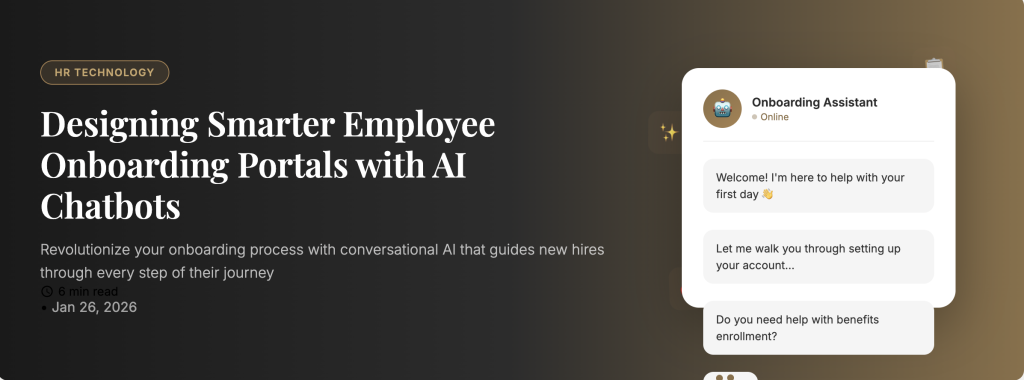
Most onboarding portals already contain the answers employees need. The problem is that employees can’t find them quickly, don’t know the right phrasing to search, or don’t trust they are looking at the right version. This is where AI chatbots become genuinely useful: they turn a static knowledge base into an interactive support layer.
The best onboarding chatbot use-cases
1) Instant answers, reduced ticket volume
New hires ask the same questions repeatedly: how to access tools, where to submit documents, what to do if something fails, who to contact. A chatbot can handle the high-frequency, low-complexity questions that otherwise clog HR and IT channels.
2) Guided navigation instead of “search and pray”
Instead of dumping employees into a search bar, the chatbot can ask one or two clarifying questions and then link directly to the correct step or page inside the portal.
3) Proactive nudges that keep onboarding moving
A well-designed chatbot does not wait to be asked. It can prompt employees when deadlines approach, when tasks are incomplete, or when there is a known dependency (for example, “You’ll need manager approval before requesting system access”).
4) Personalised onboarding paths at scale
AI can tailor responses and suggestions based on role, location, working pattern, and progress stage. This reduces overwhelm and helps the employee focus on what actually matters now.
What to avoid with onboarding chatbots
Do not use the chatbot as an excuse for bad UX. If core tasks require the chatbot to explain basic navigation, the portal design is failing.
Do not let it hallucinate policy. Your chatbot should be grounded in approved onboarding content, with clear escalation paths to a human when confidence is low or the question is sensitive.
Do not hide human contact options. Employees need to know how to reach HR or IT when necessary. Chatbots reduce friction, but they should not become a dead-end.
Design best practices for chatbot placement and interaction
- Place the chatbot where the employee will naturally look for help (typically bottom-right persistent widget, with clear “Ask onboarding” labelling).
- Offer suggested prompts like “How do I get tool access?” or “What’s my next onboarding step?” to reduce blank-page anxiety.
- Keep responses short, structured, and link-driven. The chatbot should guide users into the portal, not trap them in chat.
- Include a “Was this helpful?” feedback option to improve answers over time.
Part Three: Implementation, measurement, and long-term onboarding ROI
Building a strong onboarding portal is not just a design exercise. It is an operational system. To make it work long-term, you need governance, analytics, and a rollout plan that avoids disruption.
Start small: a phased rollout plan
Do not attempt to rebuild everything at once. Choose one high-impact onboarding friction point and fix it end-to-end.
Example pilot projects:
- Tool access requests and troubleshooting flow.
- Document submission and identity verification steps.
- Role-specific “first week” checklists for one department.
What to measure (so you can prove this isn’t “nice to have”)
- Time-to-complete onboarding: total time and time per module.
- Time-to-productivity: proxy measures such as first logged activity in key systems, first task completion, or manager confirmation.
- Support load reduction: HR/IT ticket volume from new hires.
- Drop-off points: where employees stop progressing.
- Chatbot containment rate: what percentage of questions are resolved without human escalation.
Governance: keep content accurate and trusted
An onboarding portal fails the moment employees stop trusting it. Assign content owners for key areas (HR policies, IT access, payroll, benefits). Set review cadences. Archive outdated pages. Make “last updated” visible where appropriate.
Conclusion
In 2026, onboarding portals are not optional infrastructure for modern organisations. They are a retention and productivity lever. Strong web design reduces friction, creates clarity, and builds confidence. AI chatbots, when grounded in approved content and designed as a support layer, help employees get answers instantly and stay moving through onboarding without unnecessary delays.
If you treat onboarding as an experience instead of a checklist, you will see the payoff where it matters: faster ramp-up, fewer support tickets, stronger engagement, and better early retention.